

Losing your Permanent Voter’s Card (PVC) right before an election can be a headache. Most people think they’ll have to stand in long lines at the INEC office, but things have changed — you don’t actually need to leave your house to start the replacement process. These days, you can handle everything right from your phone.
A lot of Nigerians don’t realize this yet, but INEC has made it pretty straightforward to get a lost or damaged voter’s card replaced online. I went through the process myself, and honestly, it was way easier than expected. I applied on my phone, and just two weeks later, my new PVC was ready for pickup. No stress, no drama.
Here’s a breakdown of how you can do the same, whether your card is missing, destroyed, faded, stolen, or just bent out of shape.
Why Replace Your PVC?
You need your PVC to vote in any election, so losing it is a big deal. Maybe you misplaced it, it got wet, someone stole it, or you moved and can’t find it anymore. Whatever the reason, you’re going to want a new one before elections roll around. Waiting until election season is a bad idea — the lines get longer, and the process gets stressful.
My Experience With the Online Application
I started the process on my phone, thinking it’d be complicated. Turns out, it’s just a few steps. First, I created an account on the INEC portal with my email. After logging in, I chose the ‘apply for myself’ option and filled in my details: full name, date of birth, state, and LGA. The system checked everything automatically, and I submitted my request. It took less than ten minutes.
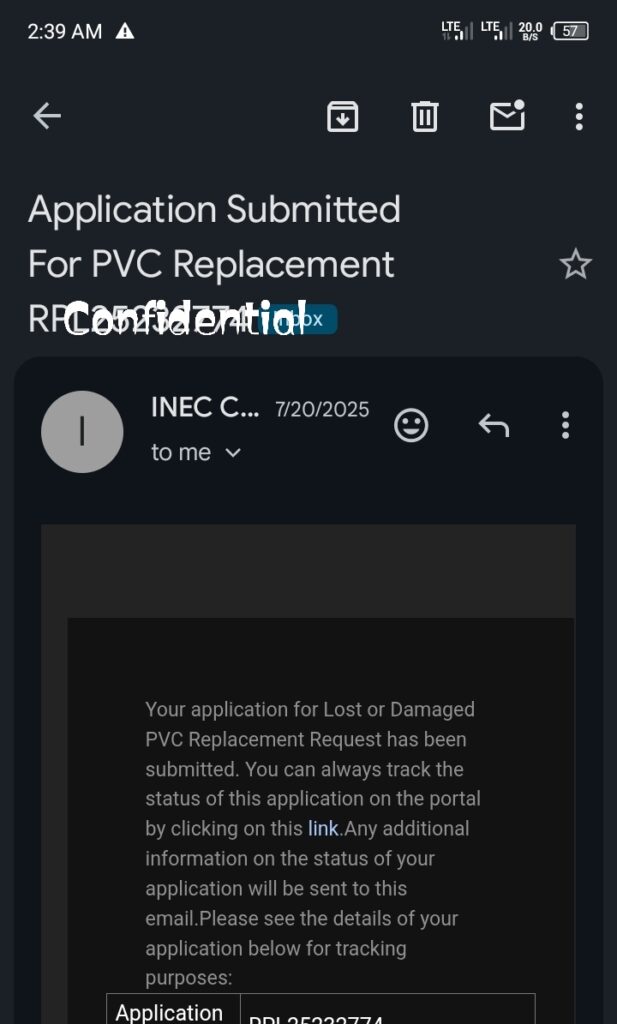
After that, it was just waiting. Two weeks later, my new card was ready.
Step-by-Step Guide to Replacing Your PVC Online
- Visit the INEC Portal
With your phone or computer, make sure you’ve got a working internet connection, and head to the official INEC voter portal. You’ll need an email address, phone number, and the correct details from your original voter registration. - Create an Account
If you haven’t registered before, sign up with your email. Verify your email, log in, and you’ll land on the dashboard where you can track your application. - Pick the Replacement Option
Choose either “lost PVC” or “damaged PVC” replacement. You’ll be asked if you’re applying for yourself; pick the option that fits. - Fill In Your Details
Enter your full name, date of birth, state, LGA, and any other voter info. Double-check this info matches what you originally registered — mistakes here cause delays. - Validate Your Information
The platform checks your records automatically. If you have your Voter Identification Number (VIN), use it — it makes the process quicker. - Submit Your Application
Check that your info is accurate, then hit submit. You’ll get confirmation, and INEC will send updates as your PVC moves through the system.
How Long Does It Take?
For me, the process took about two weeks from applying online to getting my card. Some folks get theirs sooner, others wait a bit longer, depending on where you live and how busy INEC is.
Tips for a Smooth Application
- Make sure all your details match your original registration.
- Triple-check your date of birth and spelling.
- Use an email address you actually check.
- Keep your VIN handy for easy validation.
- Don’t wait until elections — apply early.
Common Issues Applicants Face
Occasionally, you’ll run into problems like network issues, trouble verifying records, or slow portal responses. The most common cause is simple mistakes in personal details, so check for typos.
If you’re stuck, look at your name, date of birth, state, and LGA one more time. Tiny errors can block your application.
Why Online Is Better
Honestly, applying online saves you a ton of hassle. No wasted hours traveling, no queuing, and less stress. You can do this all from your couch — it’s easier, faster, and cheaper. The digital process is making voter services much more accessible for everyone in Nigeria.
Replacing your PVC doesn’t have to involve endless queues and frustration anymore. As long as you have a phone, internet, and the right information, you’re set. My experience was smooth — account created, details validated, request submitted, and two weeks later, I had my new card.
If your PVC is lost or damaged, now is the time to replace it, well before elections start heating up. And if you want to help others, sharing screenshots or commenting with your experience can make it even easier for first-timers.you can also enroll for new registration only if you don’t have before.
Any troubles along the way? Drop your questions in the comments, and folks who’ve been through it can lend a hand.