

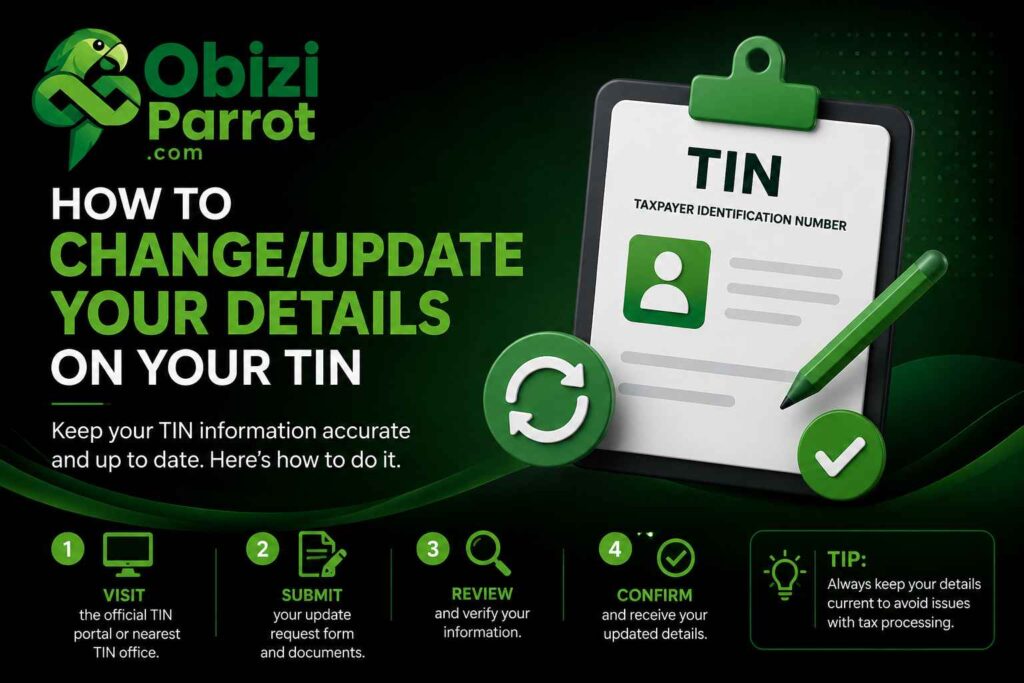
How to change/update your details on your TIN (Individual and Corporate)
Whether you have recently married, legally changed your name, or completed a major business rebranding, keeping your formal identity unified across all government platforms is non-negotiable. Mismatched records can stall banking authorizations, disrupt your tax filings, and create compliance bottlenecks.Because your Tax Identification Number (TIN) is tied directly to your legal identity, you cannot simply log in and edit the name yourself. It requires a systematic update across primary legal registries before syncing with the tax authorities.
Consider how confusing it would be if Mama Emeka registered her provision shop in Nise with one name, but her tax clearance carried another the system would flag it instantly, here is the comprehensive, step-by-step roadmap to successfully modifying the name attached to your TIN.
The Golden Rule: Your TIN Digits Will Not Change
Before diving into the tactical steps, it is critical to dispel a very common misconception: changing your name on your TIN does not mean you will receive a brand new set of numbers. Your TIN is an immutable, permanent identification string tied to your underlying legal identity.
Think of it like a personal bank account: if Papa Nnamdi goes to the bank in Nibo to change his legal name after correcting his documents, the bank doesn’t issue a brand-new account number from scratch; they simply update the account holder’s name in their central registry.
The identical logic applies to tax administration. Your unique 10-digit number remains completely unchanged, but the legal name, metadata, and security credentials bound to that number are updated across the national repository.
Scenario A: How to Change Your Personal Name on an Individual TIN
If you are an individual updating your tax profile due to marriage, a court-ordered name change, or an official correction process, your pathway is anchored entirely to your National Identification Number (NIN). In modern integrated digital identity frameworks, the NIN serves as the foundational source of truth for all civil and statutory profiles.
Step 1: Correct and Update Your NIN Profile First
Because modern revenue systems pull data directly from the National Identity Management Commission (NIMC) database to verify identity, you cannot alter your tax name if your NIN still reflects your old name.
- Visit NIMC: Walk into an authorized NIMC enrollment center, just like the ones serving the active communities around Nibo and Nise.
- Present Your Legal Pillars of Proof: Present your underlying legal justifications, such as a certified marriage certificate, a court affidavit, or a newspaper change-of-name publication. If Uche is correcting a misspelled surname, he must present these concrete documents here first.
- Pay the Administrative Fee: Pay the statutory administrative modification fees directly to NIMC and wait for your data to update in the central registry.
- Obtain the New Slip: Print out a revised NIN slip reflecting your correct, updated legal name.
Step 2: Compile Your Supporting Dossier
Once your NIN is correctly updated, you must assemble a compliance dossier to present to the tax office. Revenue officers require an airtight audit trail before they alter a citizen’s database entry. Gather the following:
- Your current, unamended TIN Certificate or a printout of your active TIN profile.
- The newly issued NIN slip matching your revised name perfectly.
- A formal, signed cover letter addressed to the Tax Controller or Executive Chairman of your respective tax board requesting a profile modification.
- Legal proof of the change: Marriage Certificate, Sworn Court Affidavit, and the original page of the national newspaper publication announcing your name change.
Step 3: Visit the Tax Office for System Synchronization
While certain preliminary inquiries can be initiated on the Joint Tax Board (JTB) portal, a final name modification requires a brief physical visit to either the nearest Federal Inland Revenue Service (FIRS) office or your State Internal Revenue Service (SIRS) office. This is to prevent malicious identity theft and ensure absolute data security.
When Obinna walks into the Customer Care or Taxpayer Services unit, the officer will verify his documentation, pull up his profile via the central backend portal, and run an automated synchronization routine with the NIMC server. Once the NIN verification matches the requested change, the tax officer approves the update, instantly refreshing the legal name on the database. You can then request a fresh printout of your TIN certificate showing your new name.
Pro Tip: There is absolutely zero official charge levied by the tax boards to update your profile name. While you will pay administrative fees to NIMC for the initial data modification, any agent demanding payment to change your name on the actual tax portal is acting illegitimately.
Scenario B: How to Change the Name on a Business or Corporate TIN
Modifying a business name on a corporate tax profile requires an entirely different compliance pathway. This applies whether you run a small registered enterprise, a partnership, or a limited liability company. For corporate entities, the foundational source of truth is the Corporate Affairs Commission (CAC).
Step 1: Complete the Official Name Change via the CAC
Before approaching the tax authorities, your corporate entity must successfully conclude its formal restructuring or rebranding process with the CAC. If Papa Nnamdi wants to expand his local enterprise into a registered entity spanning Nise and neighboring towns, the CAC is his starting point.
- Reserve the New Name: Submit a formal name availability search and reservation request on the CAC portal.
- Pass a Special Resolution: Convene an extraordinary general meeting to pass a Special Resolution authorizing the change of name.
- File with the CAC: File the resolution along with altered copies of your Memorandum and Articles of Association.
- Download the New Certificate: Pay the filing fees, clear any outstanding annual returns, and download your newly issued Certificate of Incorporation on Change of Name, along with your updated Status Report. Note that your RC Number or Business Name Number will remain completely unchanged.
Step 2: Domicile the Request at Your Local FIRS Tax Office
Unlike individual taxpayers who can walk into almost any tax office, corporate tax files are domiciled at specific Integrated Corporate Tax Offices (ICTO) or Medium Tax Offices (MTO). You must identify the exact FIRS office where your company’s physical file is currently held.
Step 3: Submit Your Corporate Profiling Dossier
Draft a formal application on your company’s newly branded letterhead. Address this letter to the Tax Controller of your assigned FIRS office. The application must explicitly state your old business name, your unchanged RC/BN number, your active TIN, and the newly approved business name. Attach the following documents to the letter:
- The original and a clear copy of the new CAC Certificate of Incorporation on Change of Name.
- The certified true copy of the CAC Status Report reflecting the updated structural details.
- The special resolution passed by the board of directors.
- A copy of the company’s previous TIN certificate.
Step 4: Update Your TaxPromax Portal Profile
Once the FIRS officers review your application and verify the authenticity of your new CAC certificates, they will manually alter your corporate record on the institutional backend.
Because corporate tax filing is completely digitalized, this change will automatically propagate to your TaxPromax account. Log into your TaxPromax portal a few business days after submission to verify that the banner name matches your new corporate structure. All future filing obligations, Withholding Tax (WHT) credits, Value Added Tax (VAT) entries, and Tax Clearance Certificates (TCC) will automatically issue under your updated corporate identity.
Conclusion:
The Value of updating your name on your Tax Identification Number might feel like an administrative chore, but it is an indispensable element of protecting your legal and financial standing. Operating with mismatched documentation introduces unnecessary friction into your professional life.
By systematically following these steps anchoring your changes first through NIMC for personal profiles or the CAC for corporate accounts you ensure that your tax footprint accurately reflects who you are today. Whether you are running a business out of Nibo or managing properties in Nise, clear documentation leaves you completely free to build your career or scale your business with total peace of mind. Note: For a fully formatted, print-ready layout of this guide, you can also reference the document change_tin_name_guide.pdf generated earlier.